
2.1 KiB
2.1 KiB
| title | date | tags | categories | ||
|---|---|---|---|---|---|
| 优雅写异步与循环 | 2019-06-29 23:39:46 |
|
|
JS当中的循环都是非异步的 包括但不限于
- Array.prototype中的
forEach for ... in语法for ... of语法
所以如果要在循环内的异步全部完成后做某些事情 例如
// 这里我只是简单构造了一个异步
// 实际运用当中譬如数据库查询、文件读写等操作, 通常都是异步的
function show(num) {
  Promise.resolve(num).then(console.log)
}
const arr = [100, 200, 300]

console.log('start')
arr.forEach(show)
console.log('end')
上面的写法根据事件队列的机制, 显然会先输出end, 再输出数组元素的值 当然我们可以在Promise的resolve函数当中判断是否到达了数组最后一个元素, 把输出end的操作写进resolve函数里面 显然这不够优雅, 而且很多时候也不方便这样做
实现方式
Promise.all
const arr = [100, 200, 300]

console.log('start')
console.time('promise all in')
Promise.all(arr.map(show)).then(() => {
  console.timeEnd('promise all in')
  console.log('end')
})
为了比较执行性能的差异, 加了一个计时 ( Nodejs环境运行 )
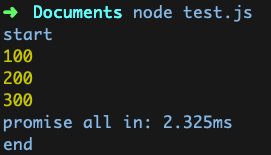
async/await
const arr = [100, 200, 300];

(async function() {
  console.log('start')
  console.time('await all in')
  for await (let i of arr.map(show)) {}
  console.timeEnd('await all in')
  console.log('end')
})()
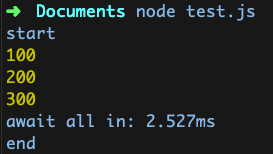 由于await必须用在async修饰的函数当中, 所以包装了一层
实际执行时间与Promise.all差不多
由于await必须用在async修饰的函数当中, 所以包装了一层
实际执行时间与Promise.all差不多
One by one
这种方式效率最低,有点类似于同步语言中的循环,一个接着一个执行,耗时自然也就是所有异步方法耗时的总和。对资源的消耗最小。
const arr = [100, 200, 300];

(async function() {
  console.log('start')
  console.time('await one by one')
  for (let item of arr) {
    await show(item)
  }
  console.timeEnd('await one by one')
  console.log('end')
})()